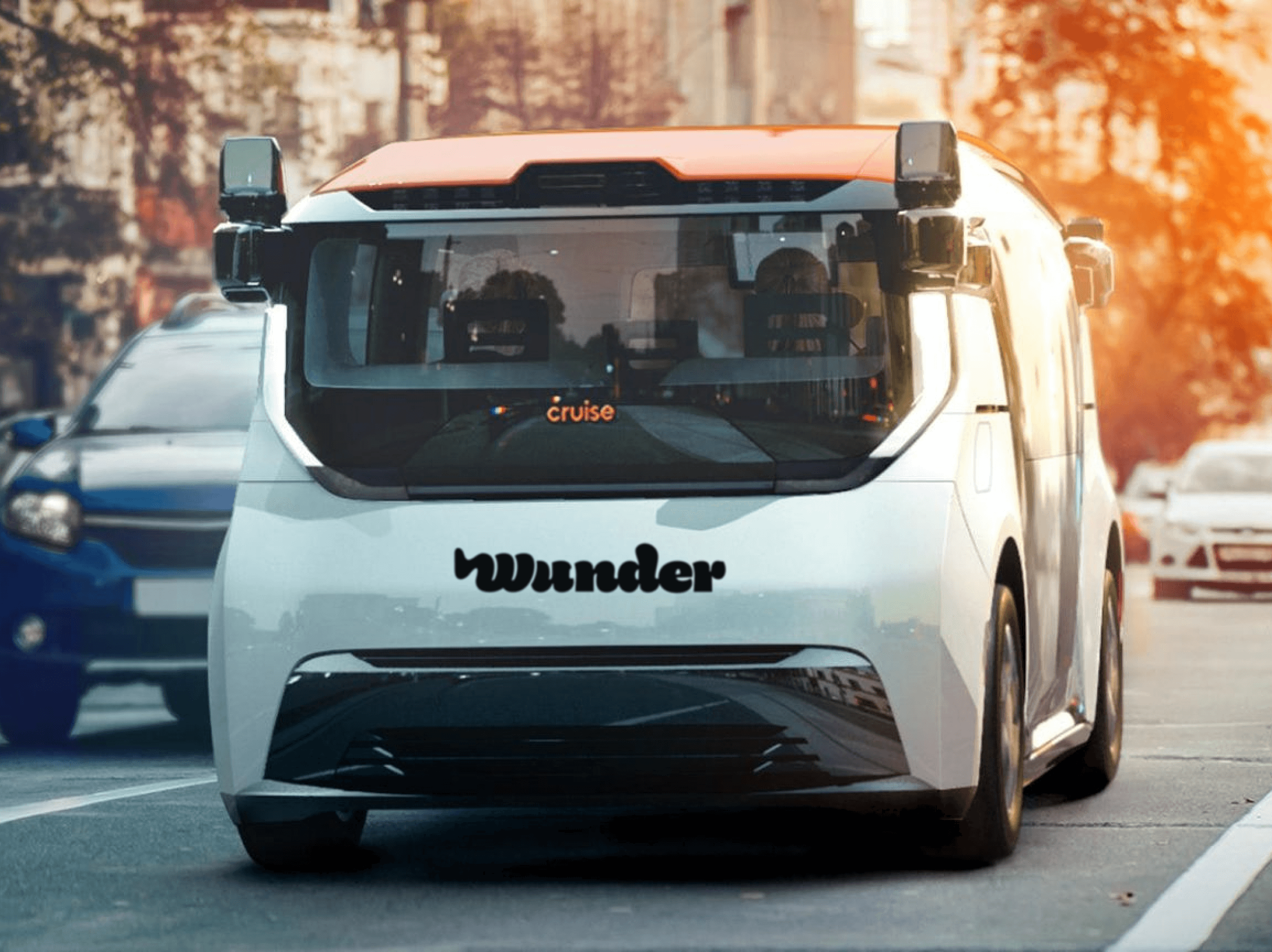
Wunder
Driverless Taxi


Oscar Viking Jansson
Game & UX/UI Designer
2021
In a three-week Interaction Design case study, a team worked to create a user-centered experience for Wunder, a taxi brand aiming to automate its vehicles. The process involved researching users, analyzing the data, building a prototype, and conducting user testing to refine the solution.
Team Size
7
Role
UI Designer, UX Researcher
Timeframe
3 Weeks
Goal
By learning about our users we seek to design and iterate a solution that encourages fully autonomous taxi fares, based on empirical data.
Responsibilities
I was brought into the team for my experience in UI design where I got to focus on designing the interface while at the best of my ability try to guide my co-workers into learning more about UI design.
Project Deep Dive
Background
Wunder is a global taxi brand that aims to completely automate their cars. They are looking to rebrand themselves as the completely automated taxi app. With access to the latest tech in car automation and a healthy amount of money to spend, we as interaction designers got to take on this case over the course of a 3 week period.
The challenge centered around how we can convince people that traveling with a fully autonomous taxi is more effective, reliable and safer than a regular taxi.
The outcome was a mobile interface for the Wunder app and its integration with the Wunder-cars that enables urban travelers to easily book a taxi without much effort while simultaneously giving the user a feeling of safety should anything go wrong.
The Design Process
The group were unanimous to follow the interactive design process which goes as follows.
Stage 1 | What user needs/wants |
Stage 2 | Analysis |
Stage 3 | Design |
Stage 4 | Prototype |
Stage 5 | Implement and deploy |
User Needs
As time was limited we instantaneously set out to learn more about the world of self driving cars and more specifically self driving taxis by researching the web to understand what the general opinion is around the topic.
We gathered what we could find and formed a sheet with questions to ask our presumed target audience. Because at the end of the day it’s their needs that we must answer to, to deliver an experience that will succeed.
Analysis
The group split up and gerilla-interviewed six people within the target audience. The result was thematically analyzed.
The users want a familiar interface. They express a positive feeling towards the interface of our competitors uber and bolt.
Safety is important. Without a driver the users want to feel welcome and safe. Any responsibility that a driver would have should not apply to the user.
The users want some control over the car. Ex. Ability to stop the car, add planned stops and share rides with others. Also feedback of what’s happening is also wished for.
The expected times cannot be missed.
Most users have a positive and explorative attitude towards this new way of traveling.
The users are evaluating different traveling options by the lowest price.
The users want some form of direct contact with a support, to help with anything sudden that might happen.
Proto Personas
From the results of the interviews, we then assembled our insights and formed three proto-personas

The proto-personas were then combined into the main persona.
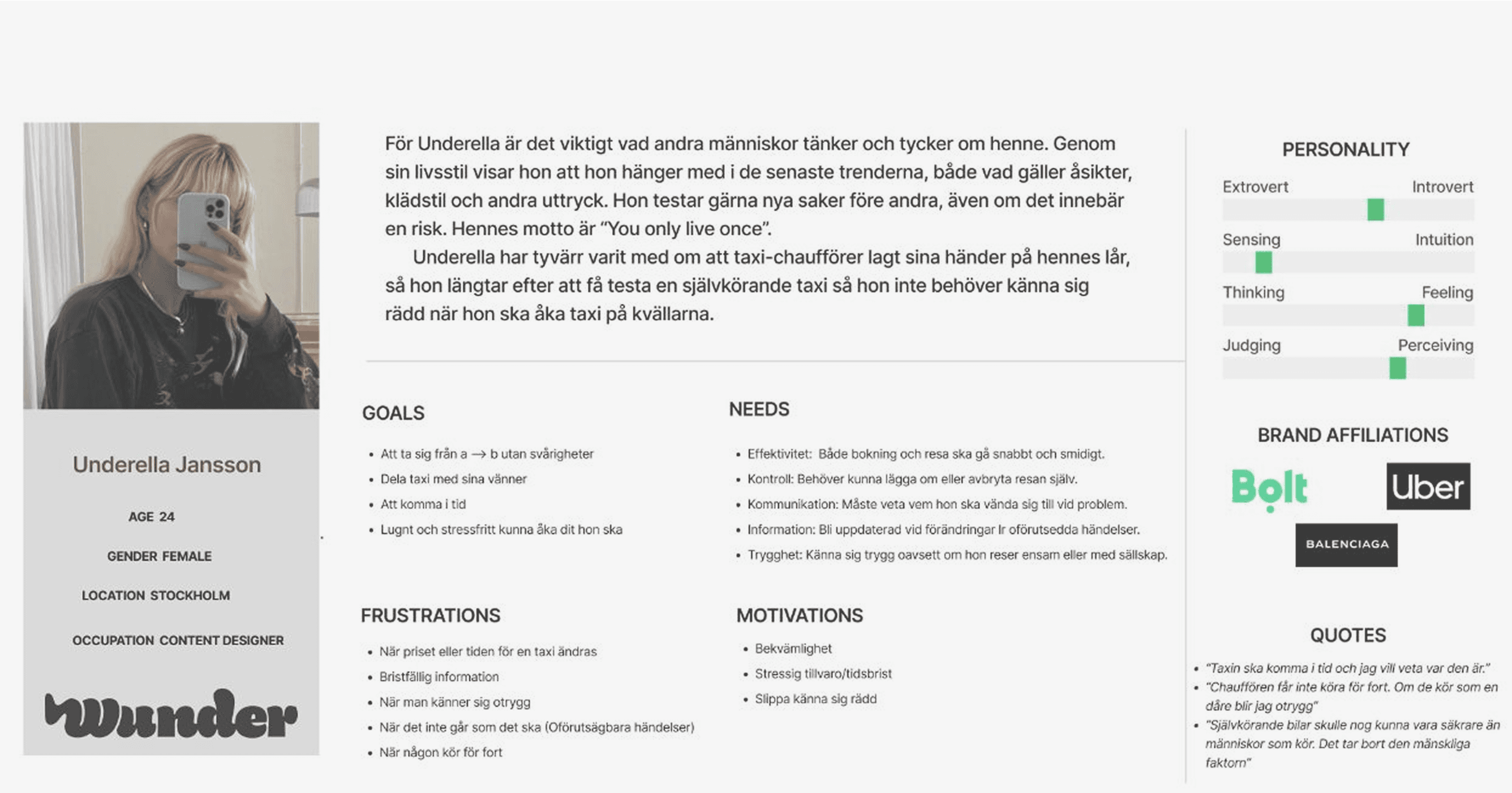
Main Persona: Underella Jansson
Meet Underella Jansson, a mid 20s, introverted content designer from Stockholm. Her needs center around efficiency, control, communication, information and safety. She wants to get from point A to B without difficulties and often shares a taxi with her friends. She hates when the discussed time or prices are changed and when she feels unsafe.
This persona is what we all pictured us working towards. We decided it had to be a woman because of how often women are expressing a general fear to travel by taxi alone. This way we capture the essence of who we need to include in our design.
Because we thematically sorted all our insights from the qualitative research, we were able to build user stories with ease. This was made during a workshop with the team where we targeted a single theme, wrote user stories, sorted them and continued on by forming “how might we” questions, which we together in the team answered and dot-voted on the most important ones.
Design
User Task Flow
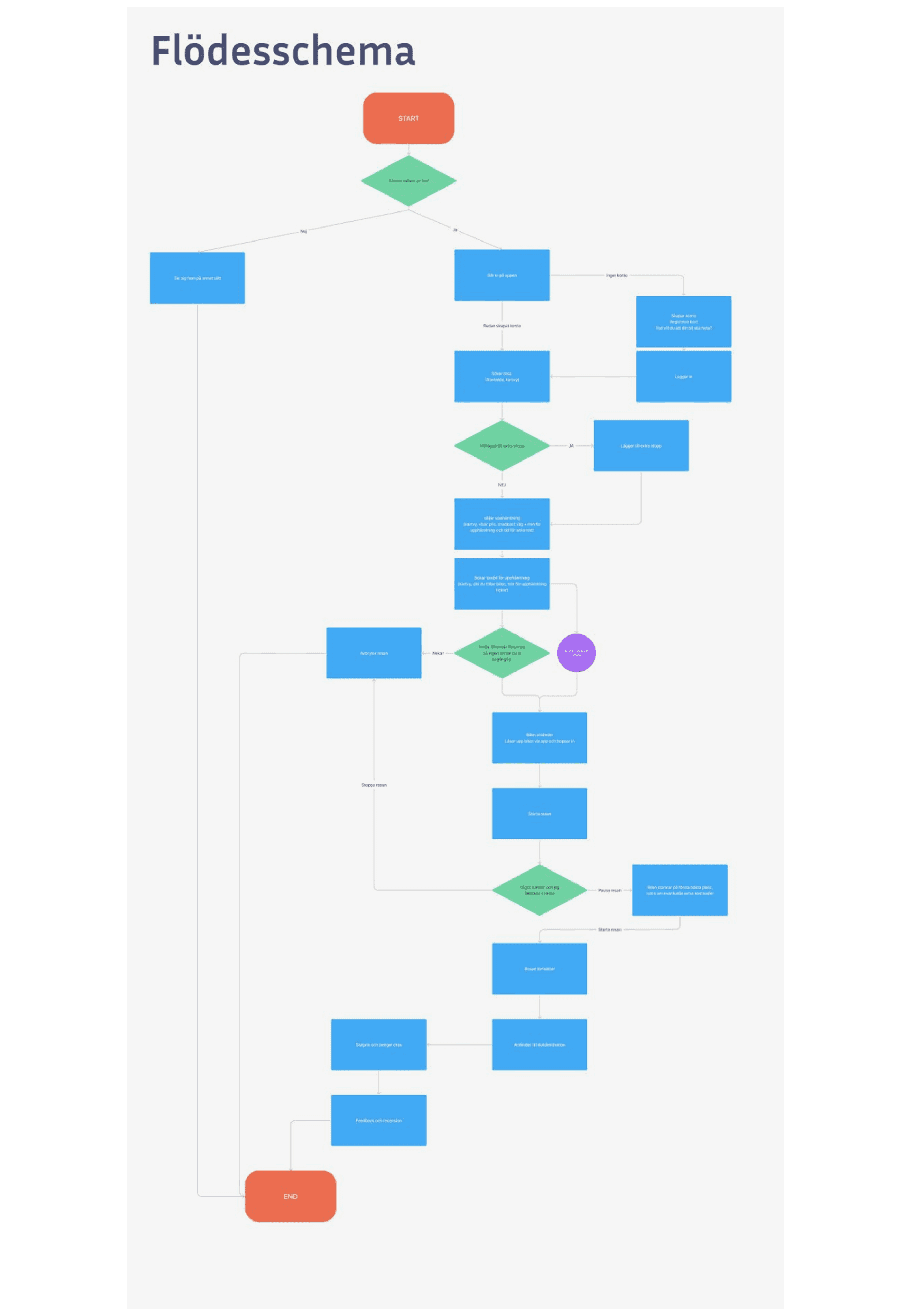
From the Analysis stage to the design stage - we started out with trying to figure out a general user flow to get an overview of how the users journey might look like.
This process consisted of us in the team discussing how the user would interact with the service from feeling the need of a taxi to the end of the ride where the user exits the taxi.
“This method of mapping out all the possible choices and scenarios a user might encounter helps streamline the design of the overall experience. It provides the team with a bird's-eye view of the user's journey to completion.”
Site Map
Following the Task Flow, we then created a Site Map for the actual mobile app. It was created based on all the research we’ve gathered from the earlier stages.
From the start we all were unanimous that our sitemap needs to be somewhat similar to our competitor’s, because that is what we assume our users will expect in our service.
It follows three branches that dig down from the global menu. Profile, Booking/Planning/Travel and Contact/Help.
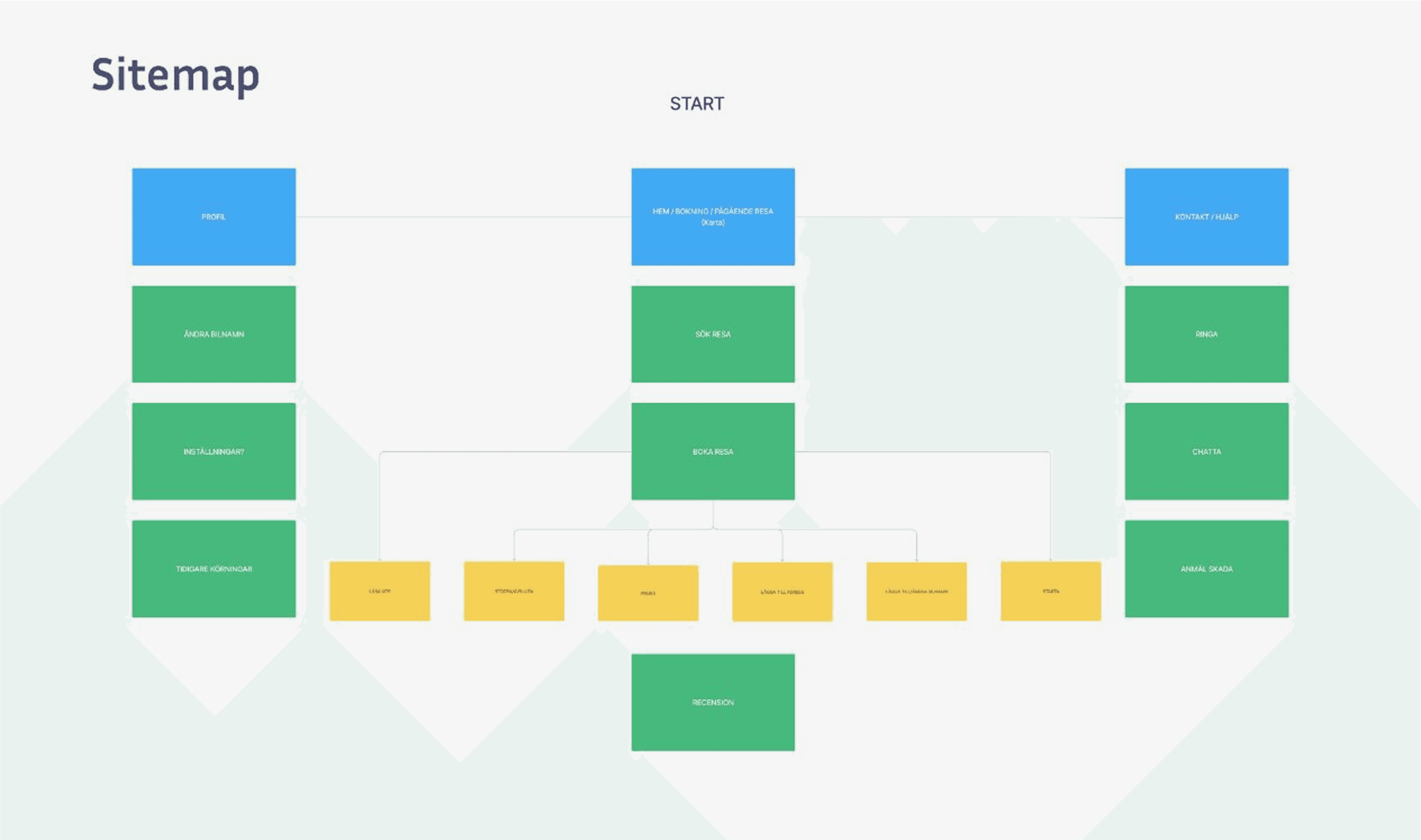
“Dont Make Me Think” - By cutting down the amount of choices the user can choose from in the main navigation creates a more frictionless experience. Our research told us that safety is a main concern for our users. For that we made the decision to have it be one of the three alternatives, easily accessible, and in it will the action for contacting help exist. Not more than two clicks away.
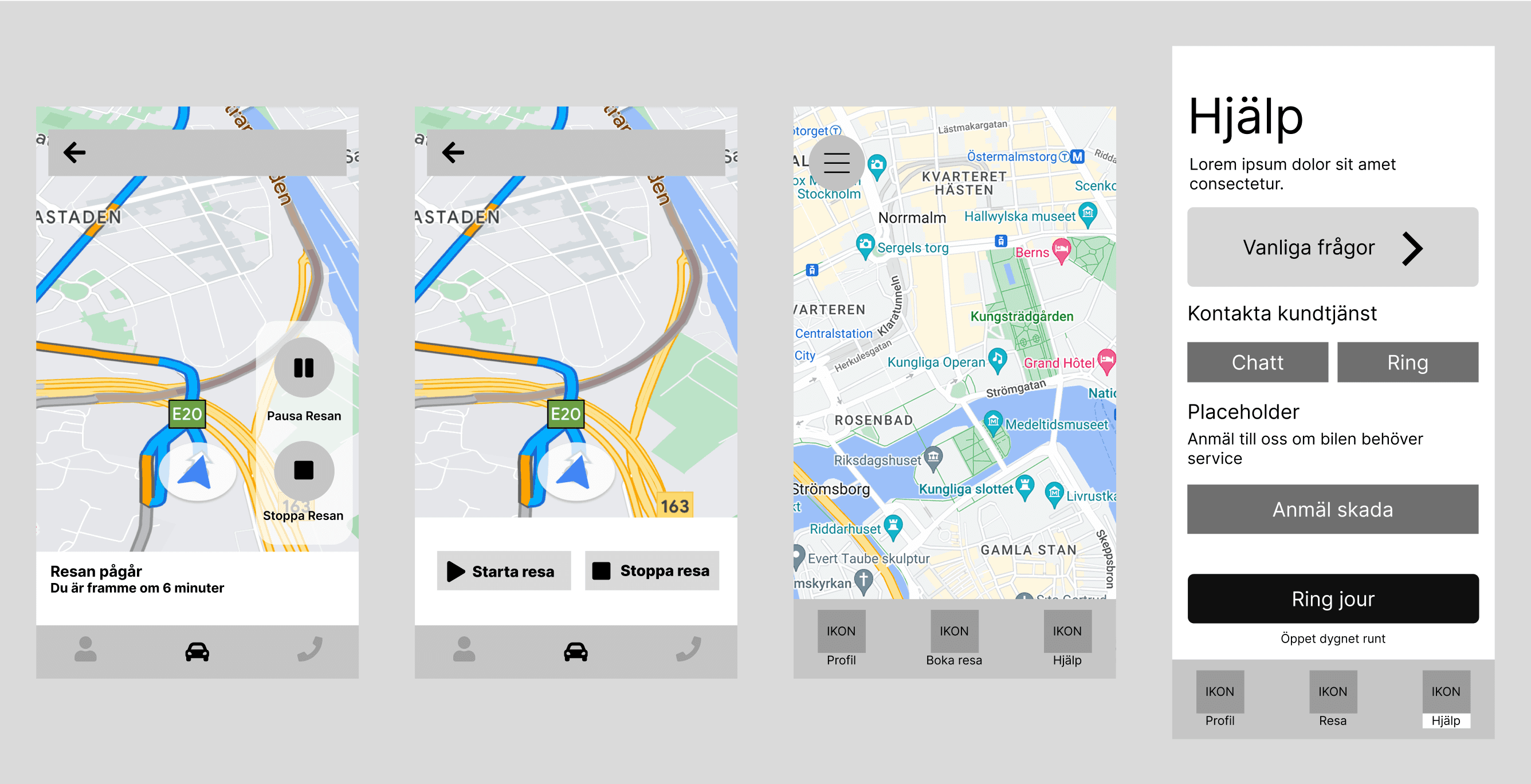
Wireframing
Early wireframes.
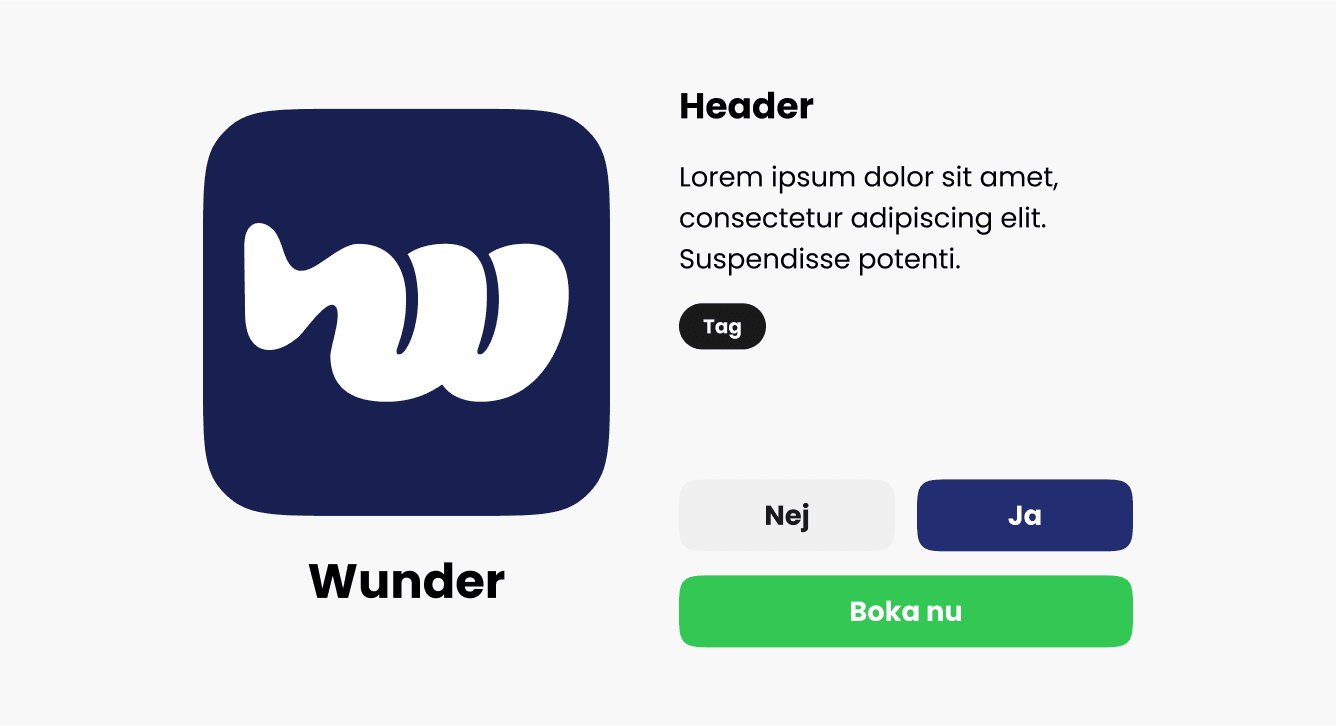
Brand
Early visual graphic profile for Wunder.
Prototyping
For the sake of time, we proceeded to generate visual ideas through doing crazy eight-like exercises, where all members of the team got to visualize the “how might we” from before.
HMW1 |
|---|
“How can we present the route and give the traveler the option to choose the best way.” 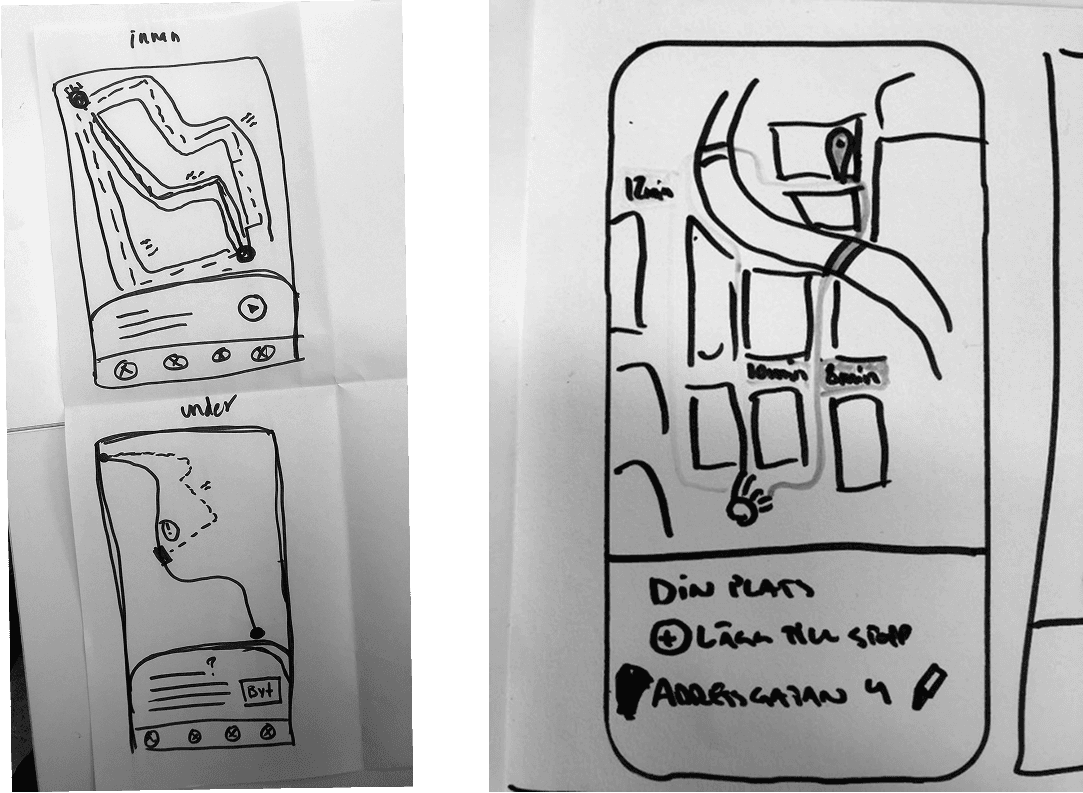 |
HMW2 |
|---|
“How can we make sure that the customer always gets updated about their ride in the best way without causing frustration or misinterpretation of time.” 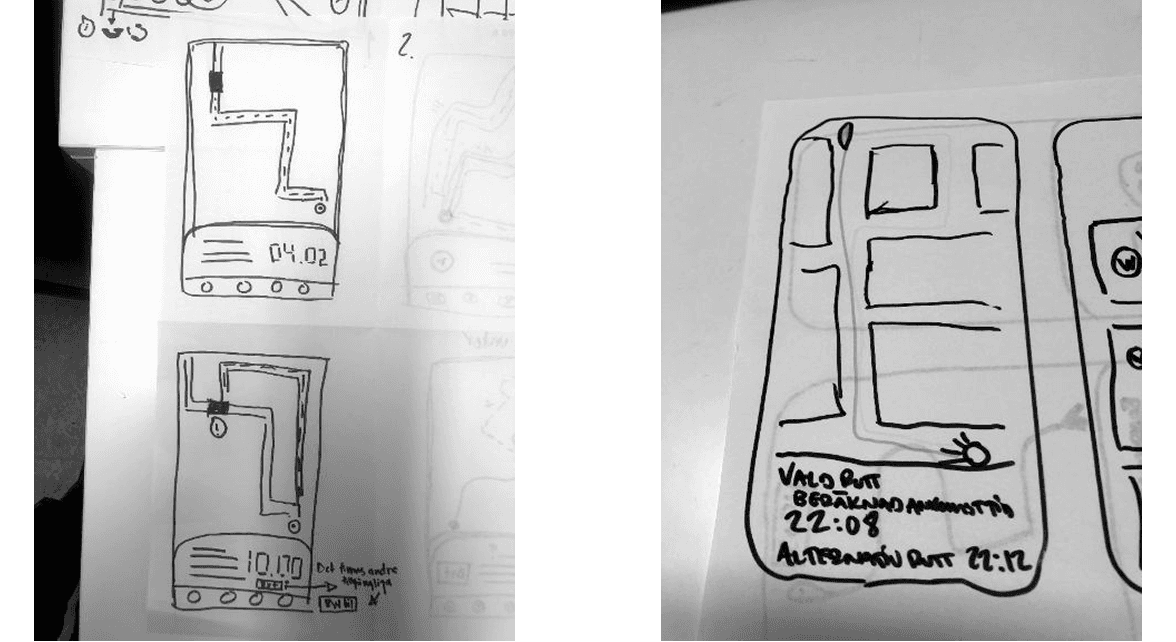 |
HMW3 |
|---|
How can we make it possible for the user to make changes to the ride when needed, both before and during the ride.  |
HMW4 |
|---|
How can we make it possible for the user to contact support during lesser incidents. 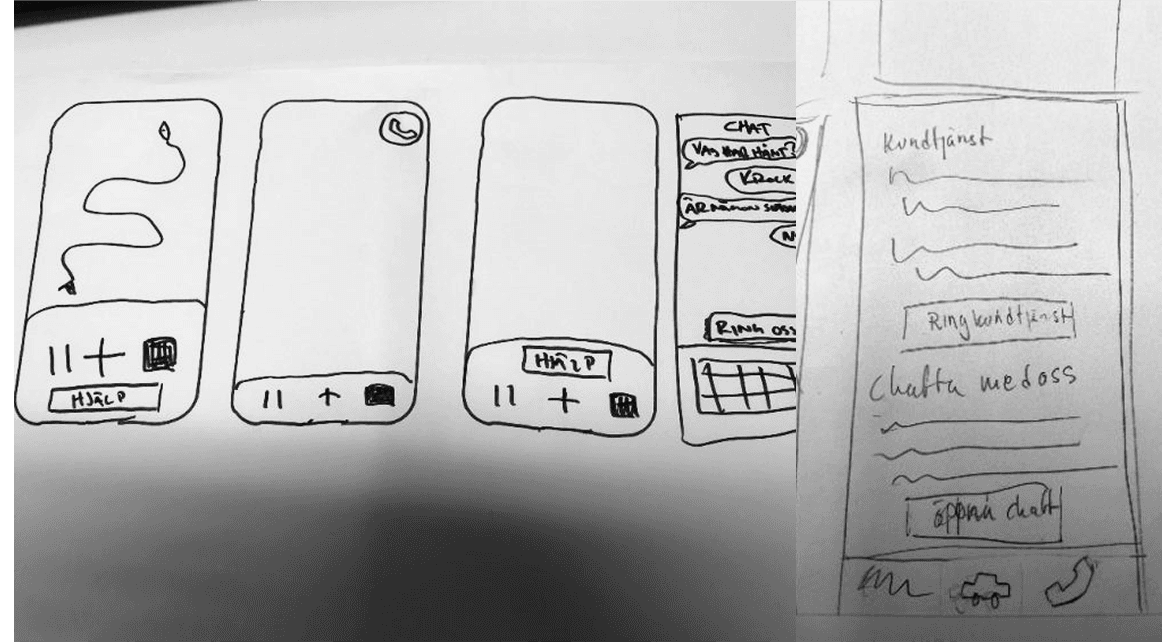 |
Lo-FI Prototype
We assembled a lofi- prototype to more easily share our idea to a feedback-group.

Feedback |
|---|
The function of changing the name of the car can be confusing, look for a better copy-option. |
A chat-feature should exist for smaller problems like a unclean car |
It should be clear wether the call button reaches a regular support or a On-call/duty service. |
Favorite destinations should be in the Booking/planning section |
Hi-Fi Prototype
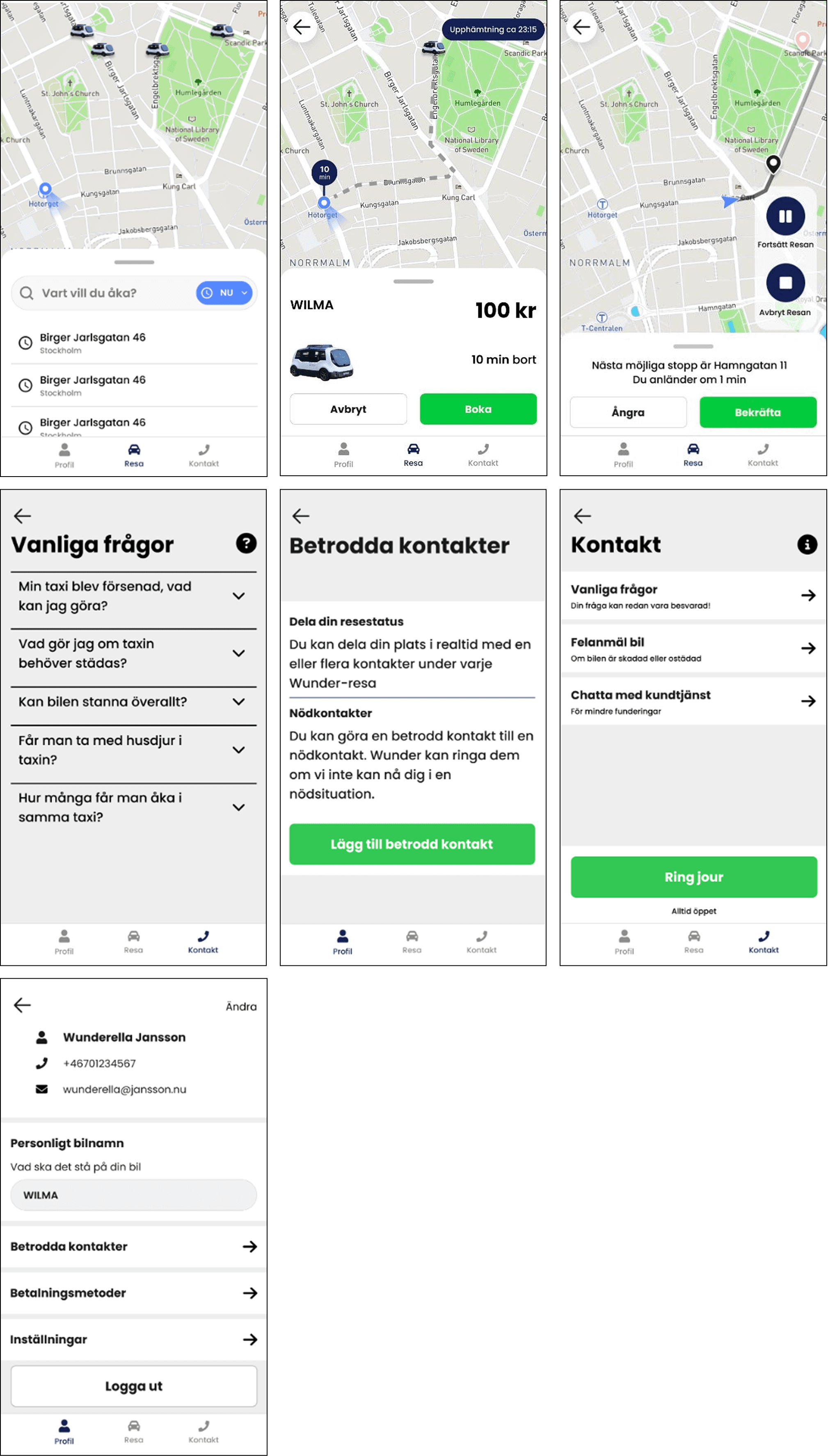
First itteration of the prototype, molded by our reseach and feedback.
(A selection of frames from the prototype)
Testing
We set up 3 different user-scenarios and assignments for the tester to try and complete. With me as the observer and my co-worker steering the test session we made multiple finds.
We made tests on people between 16 and 36 years of age.
We then sorted out all of the moments during the test at which the participants either succeeded or failed.
Some Observations |
|---|
All participants knew how to book a taxi without issues, though it was clear some of them preferred to type in their destination rather than choose from “recent destinations”. We assume this could be a question of experience in the app. |
Some of the partisipants wanted to end the ride from their phone, others from the interface of the car. |
When the test-participants were led to stop the car for some fresh air, half of the test group experienced deterrent copy and wanted to quickly undo their descision. |
The button for calling the on-duty servide was not understood and needed better copy. |
Hi-Fi Prototype 2
Second itteration of the prototype, molded from the test results.
(A selection of frames from the prototype)

Some Changes |
|---|
CTA for calling for help is now red instead of green. This is because earlier when it was green, the users did not use it. Now it signals “emergency”. |
Copy is now more concise and explains what’s about to happen once the action is initiated. |
Choices of color were more thought out. Now, green only indicates success. |
Hi-Fi Prototype 3
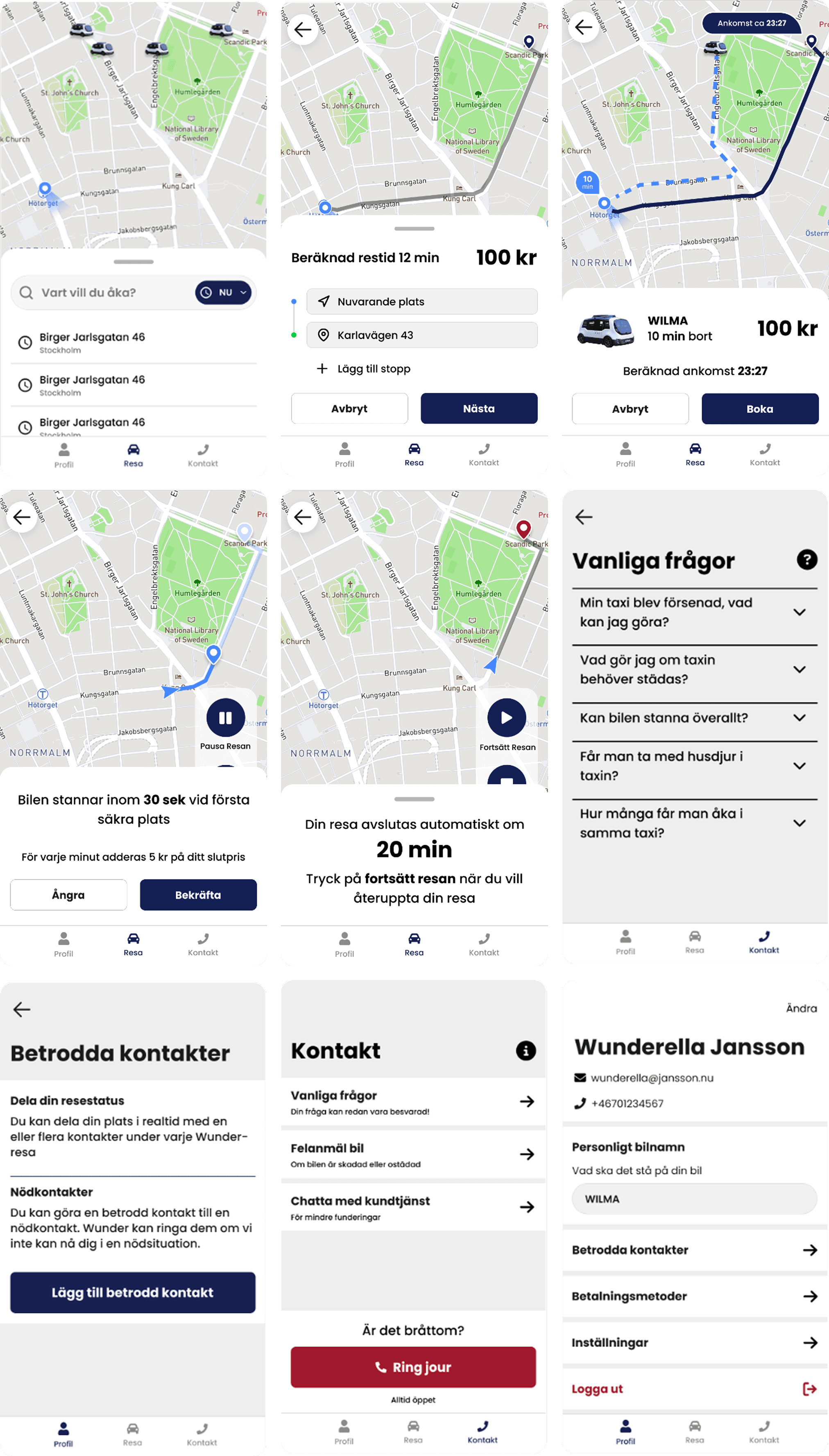
Third and final itteration of the prototype, born from everything.
(A selection of frames from the prototype)
Final Changes |
|---|
Added a simple question to show the user a reason for calling for help. |
Added a travel time indicator before booking. |
Clear message of what happens with the price during the pause. |
Added a countdown timer to show how long the taxi will wait for you while paused. |
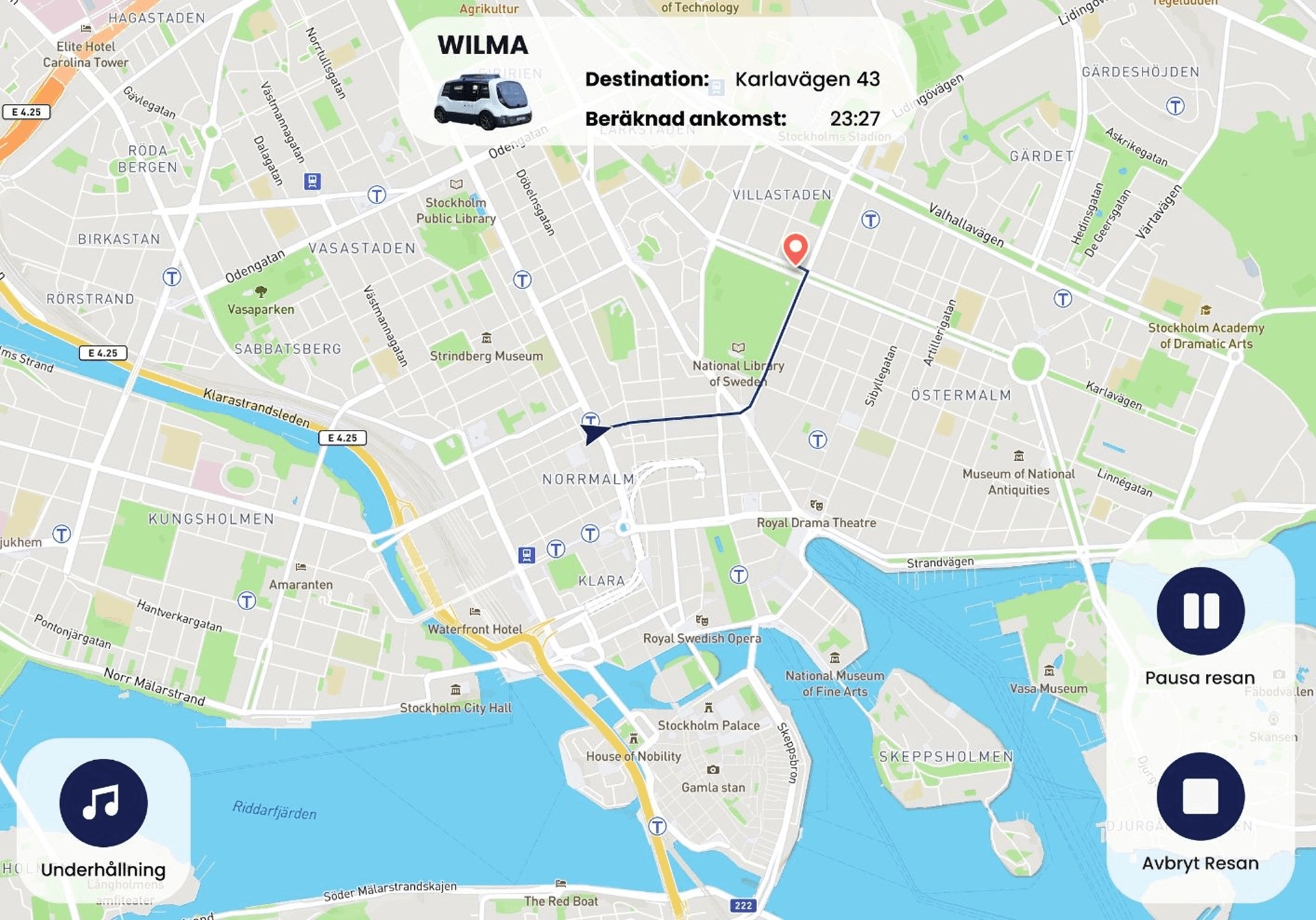
An early interface for the screen inside the Wunder car
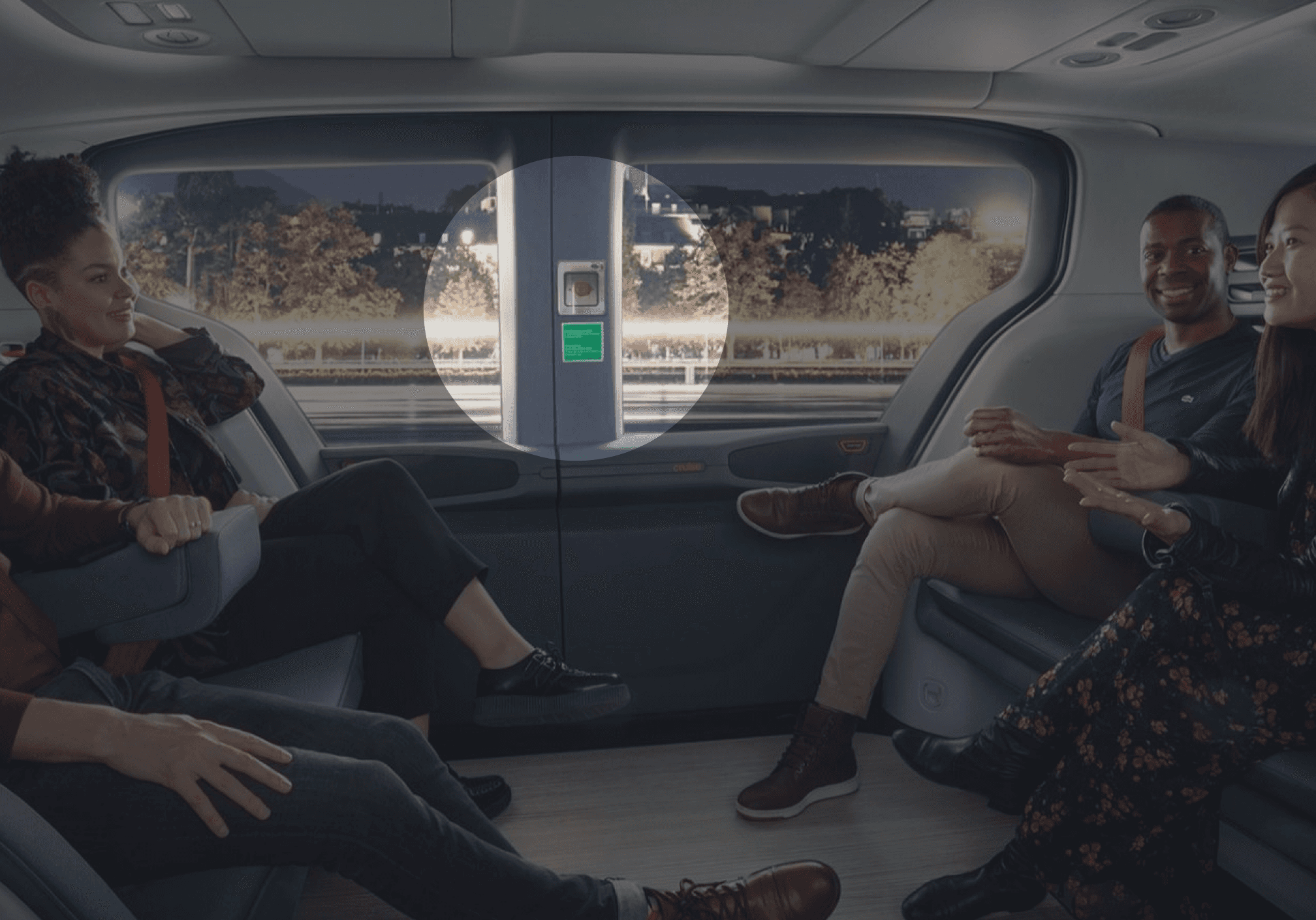
An emergency button should exist inside the car.
Closing Words
Solution
While Wunder takes on a new form of traveling, this isn't something that should feel new for our users. The bridge for the user to move from regular taxi services to driverless services shouldn't be that far. By adapting to what they already are familiar with, Wunder is only another taxi-service among the others. But Wunder has the edge of being driverless.
What we have done with Wunder is basically cutting down all unnecessary clutter that has no place in a driverless service. With no driver there is no human factor to take in consideration while choosing a taxi. Also elements like driver ratings and more luxurious cars will not play a part in Wunder. To make the user think less has been a core pillar in this project, and it plays in perfectly in the design of a driverless service like this.
Lessons
Mirroring the biggest challenge, the biggest lesson learned is the prioritization of time in a project. To effectively split up certain tasks so that the project always moves forward.
In addition to this another lesson I've learnt is to fail fast. The earlier we fail the faster we can see where we need to put in work and effort. Trial and error. Very useful
Challenges
The biggest challenge we faced during this project was by far the time aspect. To be forced to prioritize smart and move on to the next step quickly became second nature during this project for the first time. In earlier projects there’s always been plenty of time to think everything through thoroughly before moving on.
From a UI Designers standpoint, it was difficult to work simultaneously on the UI, without any strict guidelines or a stylesheet things could get messy pretty quick.
Further Work
Like any design project, it’s never truly finished. If we had the time to continue our work I would want to test more closely in a realistic scenario. Taking in consideration the user interface of the car together with the app.
A theory is that people don't want to pause a ride or stop the car by pressing a button on the phone. I’m thinking there is something psychological, when it comes to something like car traffic, that we can't afford any chances of failure. Therefore I believe to control the car in any way while the ride is ongoing should be in the interface of the car. To remove any lag or dependencies on internet connection.